Textract
Textract is an open-source desktop application for extracting textures from photos, correcting their perspective, and arranging them into an atlas or exporting them individually.
Stack: React, TypeScript, Konva, Tauri, Rust.
Libraries: imageproc, Rayon, binpack2d, Zustand, Zundo.
I started Textract after ShoeBox, whose Texture Ripper tool I had used, became deprecated. I wanted something useful for myself and the community, and a practical project for learning how to build standalone applications.
I'm the primary developer and maintainer. I built most of the application and manually reviewed, tested, and adapted community pull requests to fit the project's needs.
Workflow
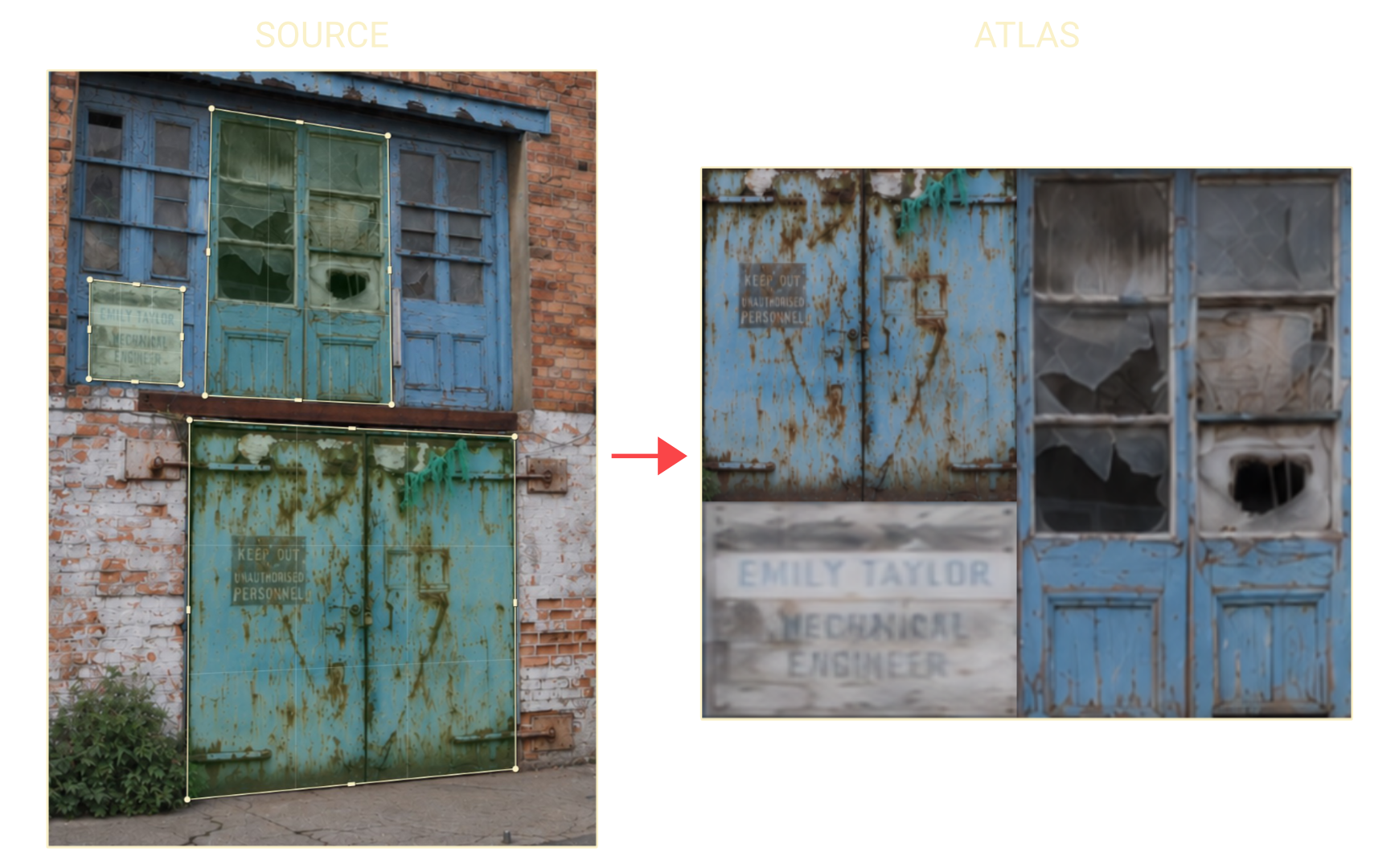
It starts with one or more photos. Mark four corners around a region, convert it into a flattened texture, then arrange the result on the atlas canvas. This works for details such as signs, labels, or building surfaces photographed at an angle.
An interactive two-canvas workspace
The React/TypeScript interface uses Konva for two distinct workspaces: source photos and marks on the left, extracted textures on the right. Each canvas has its own navigation and selection state.
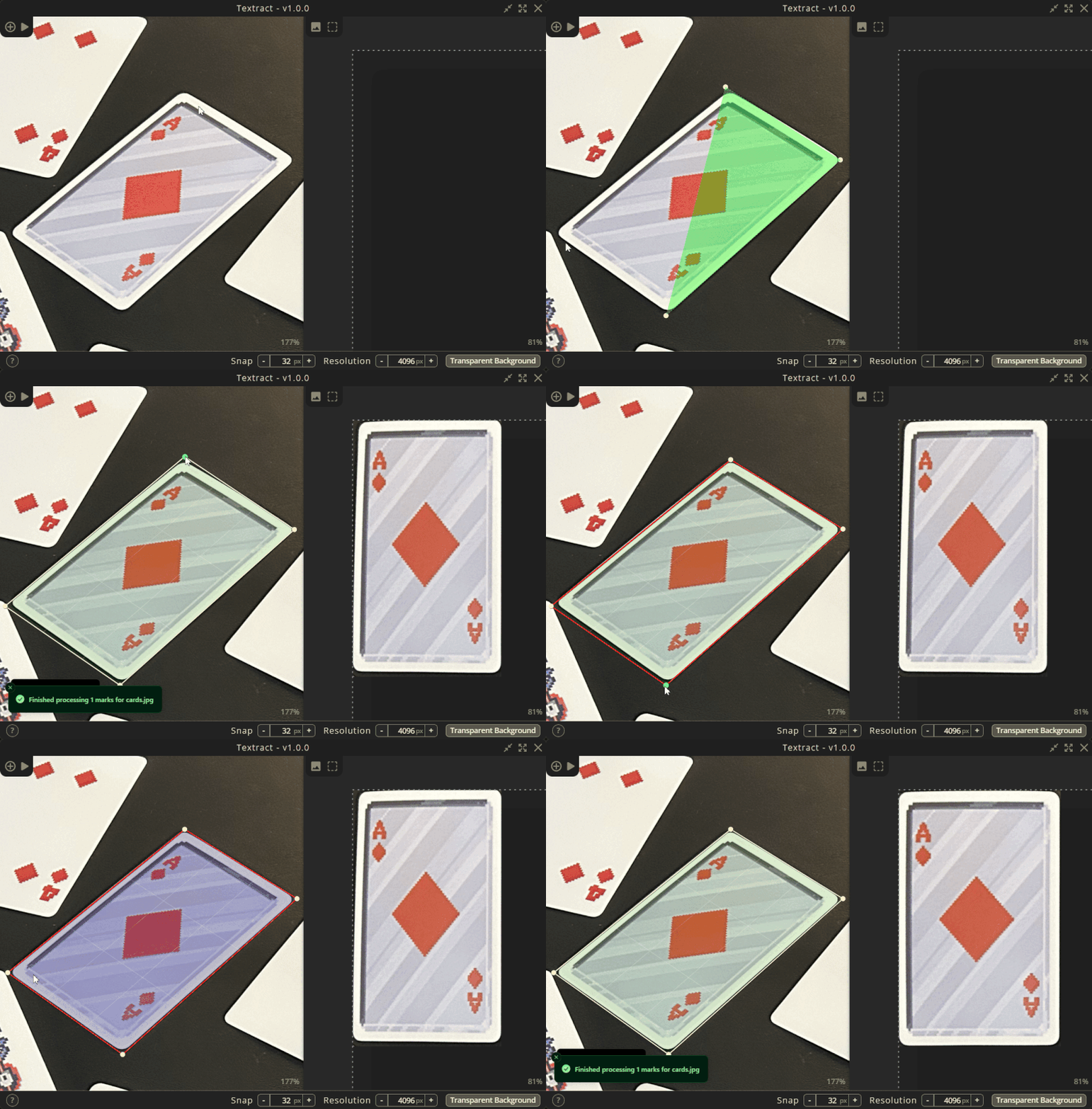
Artists can adjust individual corners, move edges through their handles, and select multiple points to move them together. Grid snapping supports precise placement. Holding Space temporarily zooms into the cursor for fine adjustments.
Adjusting a marked region by dragging its edges.
Perspective correction in Rust
The frontend sends the image path and marked points through a Tauri command. Rust processes the marked regions and returns the extracted textures.
Each region's four corners define a homography that maps it onto a rectangle. Output dimensions are estimated from the lengths of opposing edges. The imageproc library supplies the projection and image warping, using bilinear sampling; Rayon processes marked regions in parallel. My integration connects those operations to the editable marks and returns PNG data (as base64) to the interface.
Modified marks are marked as dirty for reprocessing. When a corresponding atlas entry already exists, its image data is replaced instead of adding another copy.
// top_left, top_right, bottom_right, bottom_left points
let src = [tl, tr, br, bl];
let (width, height) = get_quad_dimensions(&src); // estimate
let dst = [(0.0, 0.0), (width, 0.0),
           (width, height), (0.0, height)];

// create homography matrix
let proj = Projection::from_control_points(src, dst)
    .ok_or_else(|| "Failed projection".to_string())?;

// apply homography
let mut result = RgbaImage::new(width as u32, height as u32);
warp_into(
    &img, &proj, Interpolation::Bilinear,
    image::Rgba([0, 0, 0, 0]), &mut result,
);
Check transformation.rs
Arranging and exporting
Extracted textures can be moved, scaled, and rotated manually. For automatic packing, the frontend sends the bounds of the selected images to Rust, where binpack2d's MaxRects implementation calculates final positions.
Export happens from the frontend canvas: Konva renders the atlas or selected textures to PNG data, and Tauri's native dialog and file APIs handle choosing a destination and writing the files. This keeps interactive arrangement and exported output connected.
Check packing.rs
Building and maintaining a desktop application
Zustand separates marking, atlas, canvas, and settings state. Zundo provides undo/redo history, with grouped history updates during continuous edits such as transforming an image. Extracted image data is stored in IndexedDB because the larger image payloads can exceed localStorage's 5MB size limit.
Beyond the editing workflow, the project includes GitHub Actions release builds and a Tauri update integration that can download, install, and relaunch an update.
GitHub Actions release pipeline
A v-prefixed tag triggers changelog generation and creation of a draft GitHub release. Linux, Windows, and macOS Tauri builds run in parallel and attach artifacts to that draft. Publishing the draft is a separate manual step.
Check publish.yml